> For the complete documentation index, see [llms.txt](https://www.happ.su/main/llms.txt). Markdown versions of documentation pages are available by appending `.md` to page URLs; this page is available as [Markdown](https://www.happ.su/main/dev-docs/android-tv-api.md).
# Android TV API
{% columns %}
{% column %}
{% endcolumn %}
{% column %}
{% endcolumn %}
{% endcolumns %}
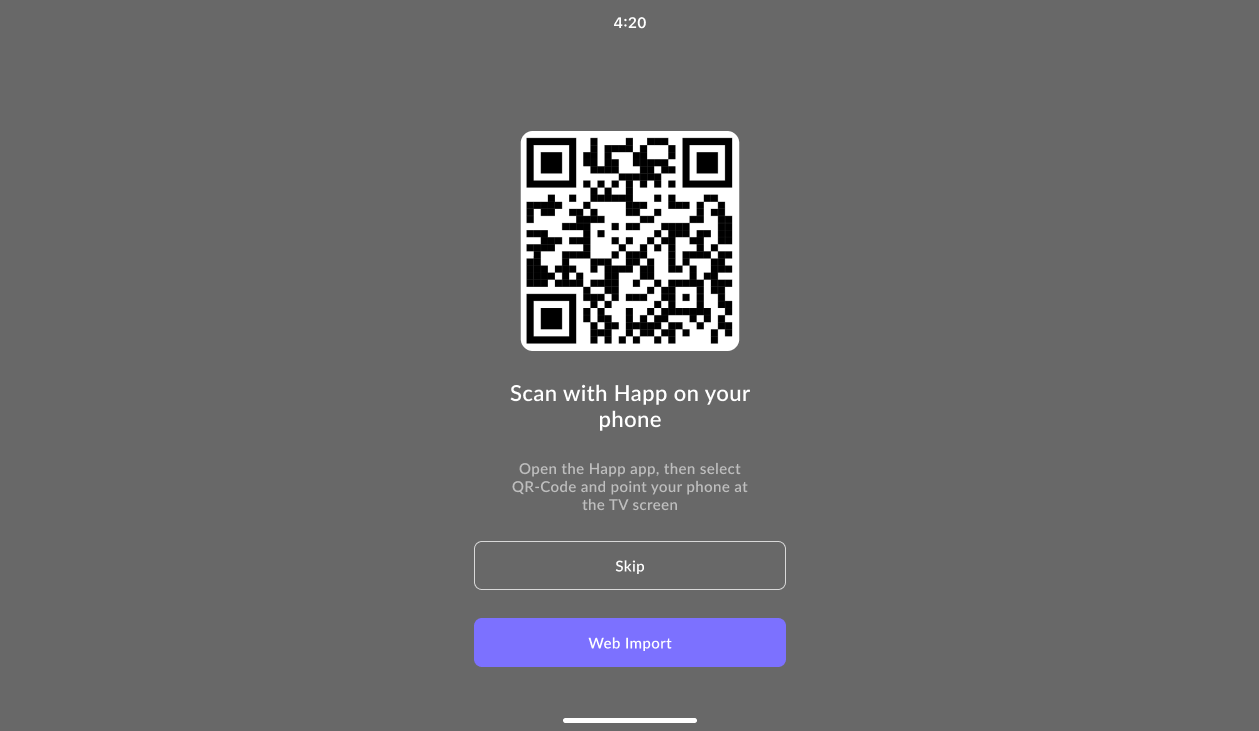
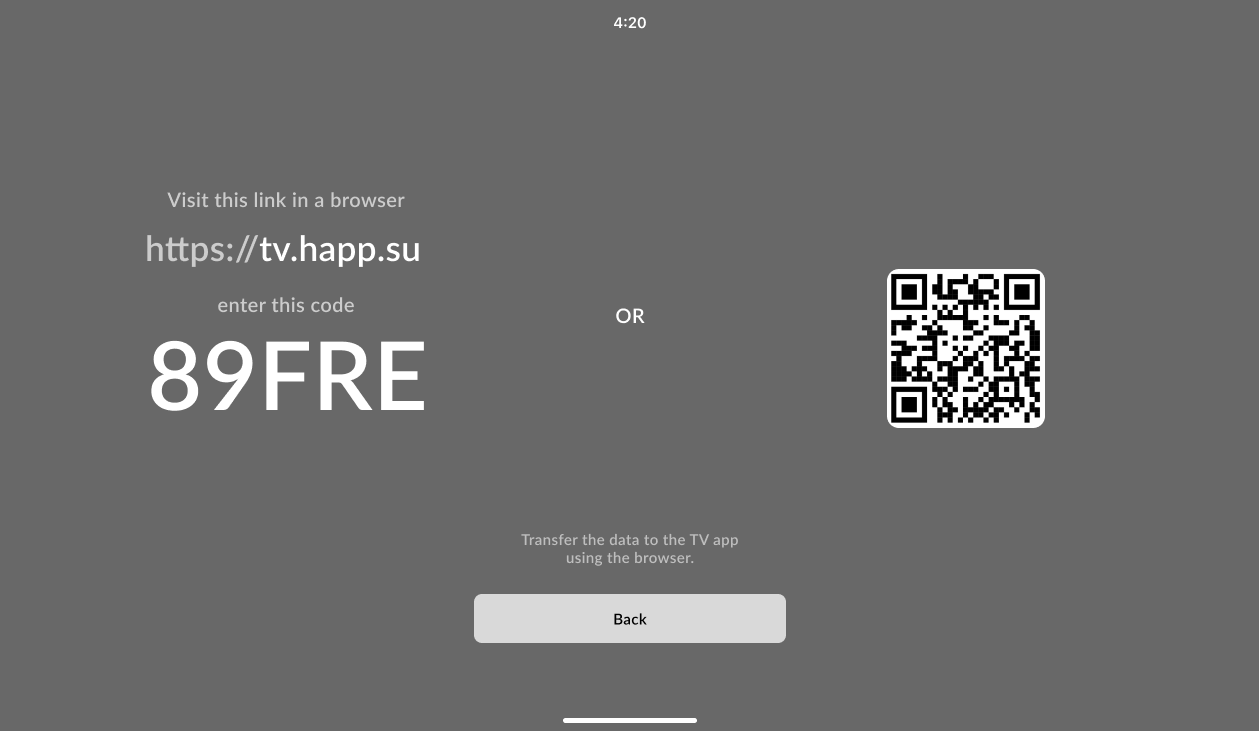
To transfer a subscription to a user’s TV, you need to know the 5-digit code generated when the app is first launched on the Android TV. The user can get this code by selecting the **Web Import** option in the app interface.
After that, you must send a **POST** request to:\
`https://check.happ.su/sendtv/[uid]`\
where **\[uid]** is the 5-digit code displayed on the TV.
The request body should be in JSON format:
```json
{ "data": "base64" }
```
The `data` field contains the server or subscription configuration encoded in **Base64**.
#### Example `curl` request:
```bash
curl -X POST https://check.happ.su/sendtv/12345 \
-H "Content-Type: application/json" \
-d '{"data":"aHR0cHM6Ly90ZXN0LXN1YnMuaGFwcC5zdS9wYWdlLnBocD9pZD14Y3huV254Uw=="}'
```
In this example, `12345` is the TV’s UID, and `data` holds the Base64-encoded configuration string.